For freelancers, production companies, and people who do both.
YOUR WORKSPACESHOWLANDERS
AUDIO / VIDEO / LIGHTING / STAGING / PRODUCTION
ONE ACCOUNT. BOTH SIDES OF THE SHOW.
Made for the way production people work.
01 / FREELANCERS
Find your next call.
Put your experience in front of the people hiring. Keep your dates current and your bookings in view.
Build a crew passport with your roles and skills
Discover jobs and review offer terms
Track earnings and invoice completed work
02 / COMPANIES & CREW LEADS
Bring your crew together.
Build a production, post the roles you need, and keep the people and details connected to the show.
Create crew lists with multiple roles and quantities
Review applicants and send booking offers
Coordinate company productions and labor invoices
Freelance on one show. Hire for the next. You can do both with the same account.
FROM THE FIRST CONNECTION TO SHOW DAY
YOUR PROFESSIONAL INTRODUCTION
More than a name in your phone.
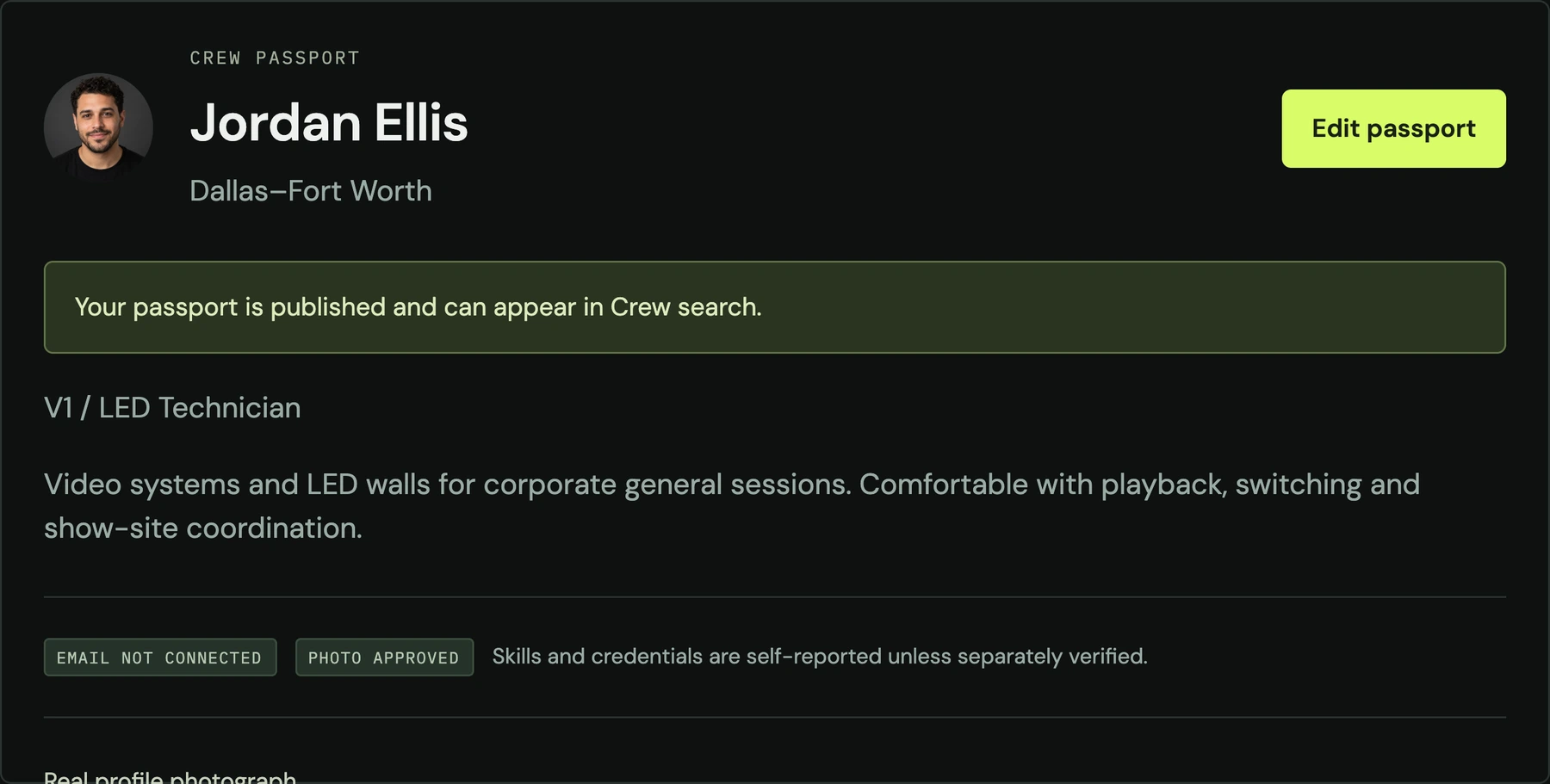
Your crew passport brings your photograph, experience, roles, and skills together. Save professionals to your private Bench so you can find them for the next production.
Example passport with a fictional profile and photograph.
CLEAR OFFERS. CONNECTED BOOKINGS.
The right details. Before the call.
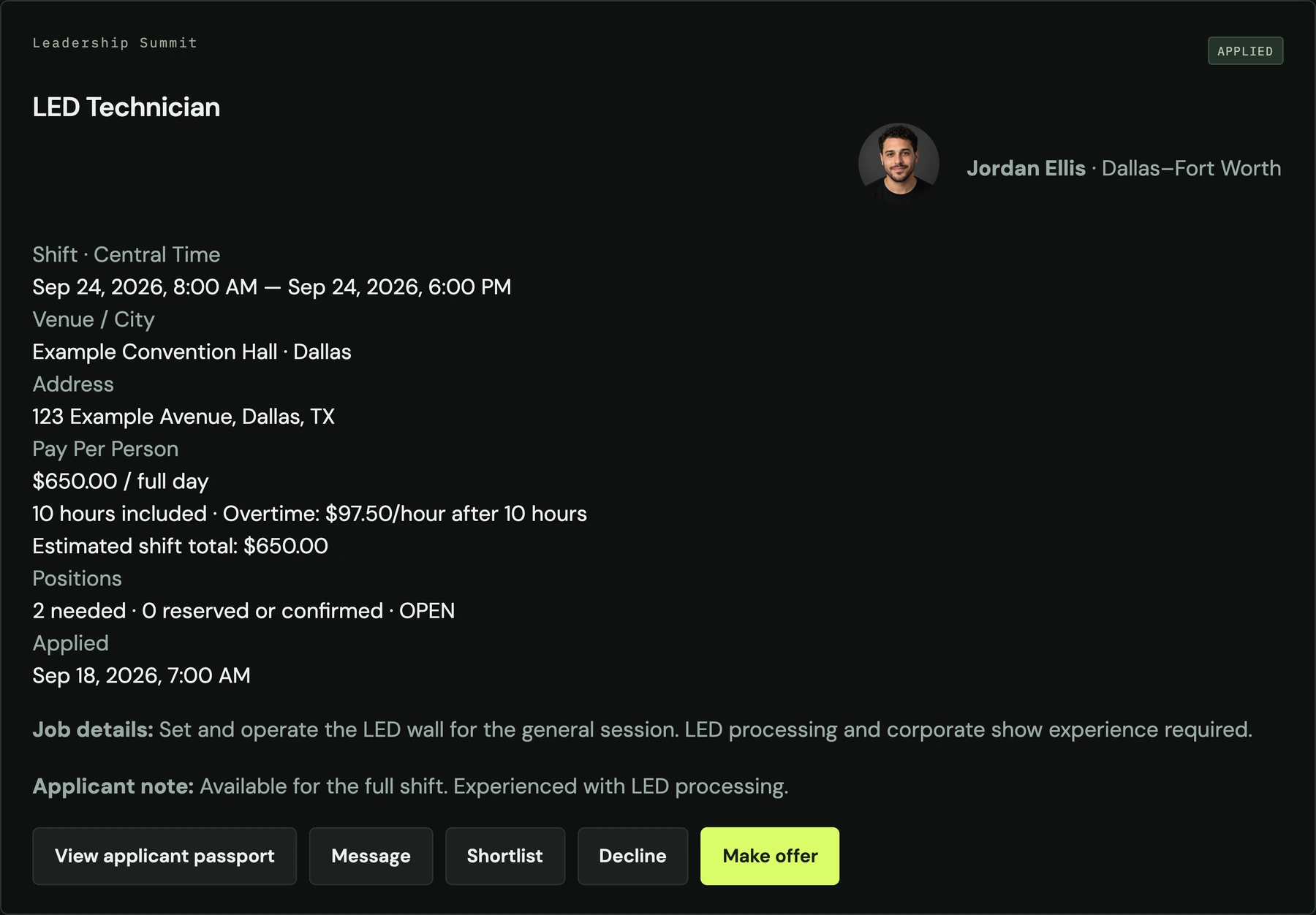
See the job and applicant together. Send offers with agreed pay, scope, and a response deadline. When crew accept, their booking connects to Calendar and Money.
On show day, venue details, directions, and supplied on-site contacts stay close at hand.
Example hiring view using fictional sample records.
Your schedule
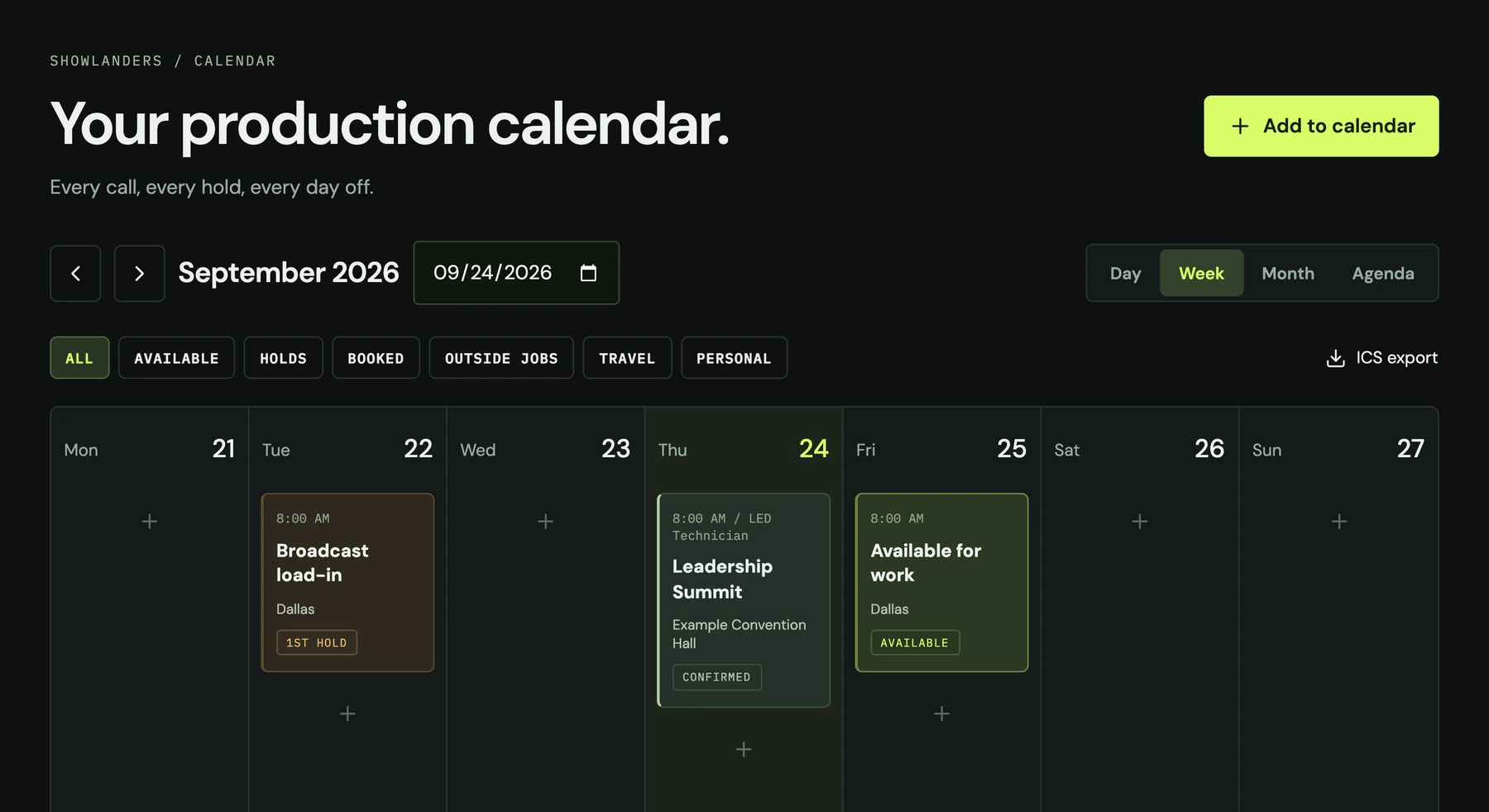
Bookings, holds, availability, and outside work in one calendar.
Your people
Professional passports, a private Bench, and shared company productions.
Your money
Crew invoices and payment tracking. Record payments received outside the app.
GOOD TO KNOW
Before your first call.
Can I use Showlanders on my phone?
Yes. Open the app in your phone’s browser. On iPhone, use Safari’s Share menu and Add to Home Screen. On Android, use Chrome’s Install app or Add to Home screen option. The app needs an internet connection.
Do I need separate crew and company accounts?
No. One account can take freelance work and hire professionals. Organizations give members access to shared company productions while personal calendars, Money records, and Bench notes stay private.
Can I join right now?
Yes. Showlanders is in soft launch and registration is open. Create your account, verify your email, and complete your passport with a photo of yourself. You can enter the app once your passport is complete.
Does Showlanders process payments?
Payments currently happen outside Showlanders. Crew can invoice hiring organizations and record money received so invoices and Money records stay up to date.
Are profiles verified?
Profile photos appear automatically and do not verify identity. Skills and credentials are self-reported unless separately verified.